KB Article: How To Sync Open House Leads With Top Producer
Maximizing lead potential is crucial in the real estate market. RLTRsync offers a seamless solution for transferring open house leads directly into Top Producer, a leading CRM system. This guide simplifies the synchronization process, enabling real estate professionals to efficiently manage and nurture their leads. Discover how to bridge the gap between initial contact and successful follow-up, ensuring every opportunity is fully utilized.
2) Go to Settings > Lead Providers.
3) Click Copy to copy your @myleads.io email address.
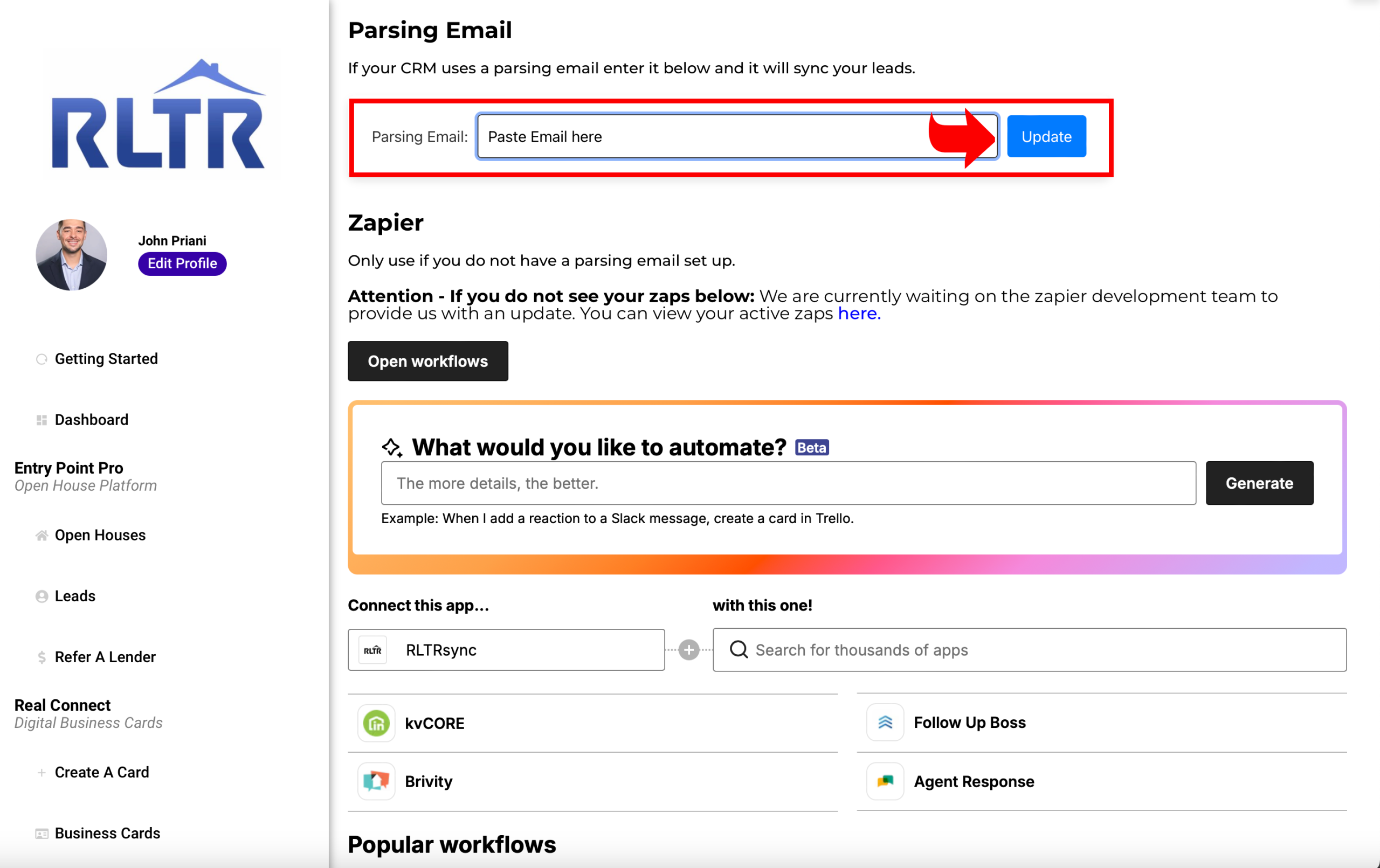
5. Navigate To The Sync Tab On RLTRsync And Paste The Email Where It says Parsing Email.
6. Click Update. You Are All Finished. All Leads Will Send Right To Your Top Producer CRM.